Optimizing Document Signing and Sending
Make document creation easier
for new / current users
2024
May–July

Context
Documentolog Business is a B2B, B2C product that simplifies
online document exchange (contracts, acceptance acts,
incoming letters, etc.)
Overview
The desktop version of Documentolog Business has core
functionality: universal document creation and sending to counterparties.
Users can attach multiple files themselves
and send them for signing or review to legal entities, sole proprietors, or individuals
Problem
We requested a report from support on the most frequent user issues,
and universal document sending ranked third. The numbers showed a drop
in the number of sent documents over the last 6 months of -24% and Success Rate -32%
a third of users got stuck in one of the scenarios
Task
Figure out how to improve the user journey for sending documents:
unifying creation, signing, and receiving, i.e. sending via:
link, SMS, email, or contact list, to improve key metrics
Success Criteria
Minimum Result
NSM
NPS
Success Rate
Maintain existing metrics
Maximum Result
+10%
NSM
Increase the number
of sent documents
+8%
Success Rate
Increase in success rate
-30%
Reduction in the number
of Support requests
Constraints
Product MAU is +100,000; it’s sensitive to any
changes (we’ve made mistakes before). The interface was last
updated 5 years ago — large changes could drop
NSM, NPS, and Success Rate metrics even further
Result
+14%
In the metrics for sent
documents over the last 28 days,
considering the flow redesign, this is a win
+18%
Success Rate dipped in the first 7 days, but has been
growing over the last 14
+9%
Support requests need to be monitored over time; typically, after a redesign, questions increase at first
Conclusions
I’ve been in document management for 2 years, but I keep discovering something new each time — the market is incredibly deep for self-reflection
It’s important to involve a lawyer in such large tasks
With such tight deadlines, it’s important to motivate your team
and help them feel the importance of the task at hand
A redesign should only happen in the context
of familiar anchors for users and usability tests
Setbacks
I’d like to spend more time on data collection —
it feels like a greater impact on success criteria
could have been achieved
There were limits on the number of respondents
for quantitative surveys via Pathway, so
the data may not be fully accurate
The absence of an analyst (on leave) slowed down
getting up-to-date product metrics
Work Process
Immersion
Understanding the Task
Kick-offs
Gathering Artifacts
Business Strategy
Metrics
Discovery
Defining User Needs
Market Analysis
Goals and Success Criteria
Research Planning
Hypotheses
In-depth Interviews
Flow Analysis
Prioritization
Hypothesis Validation
Prototypes
User-Flow
Lo-Fi Wireframe
Tests
Usability Testing
Completion Rate
Pathway
Completion Time
A/B
A/B Comparison
Development
Preparing Mockups
Corner Cases
Design Review
Retro
Updated Userflow

Usability testing

Stories
Proposed Solution
As an employee of a collection agency,
I want to see the status of
my documents after sending them to borrowers,
so I can move the process forward and hit my KPIs
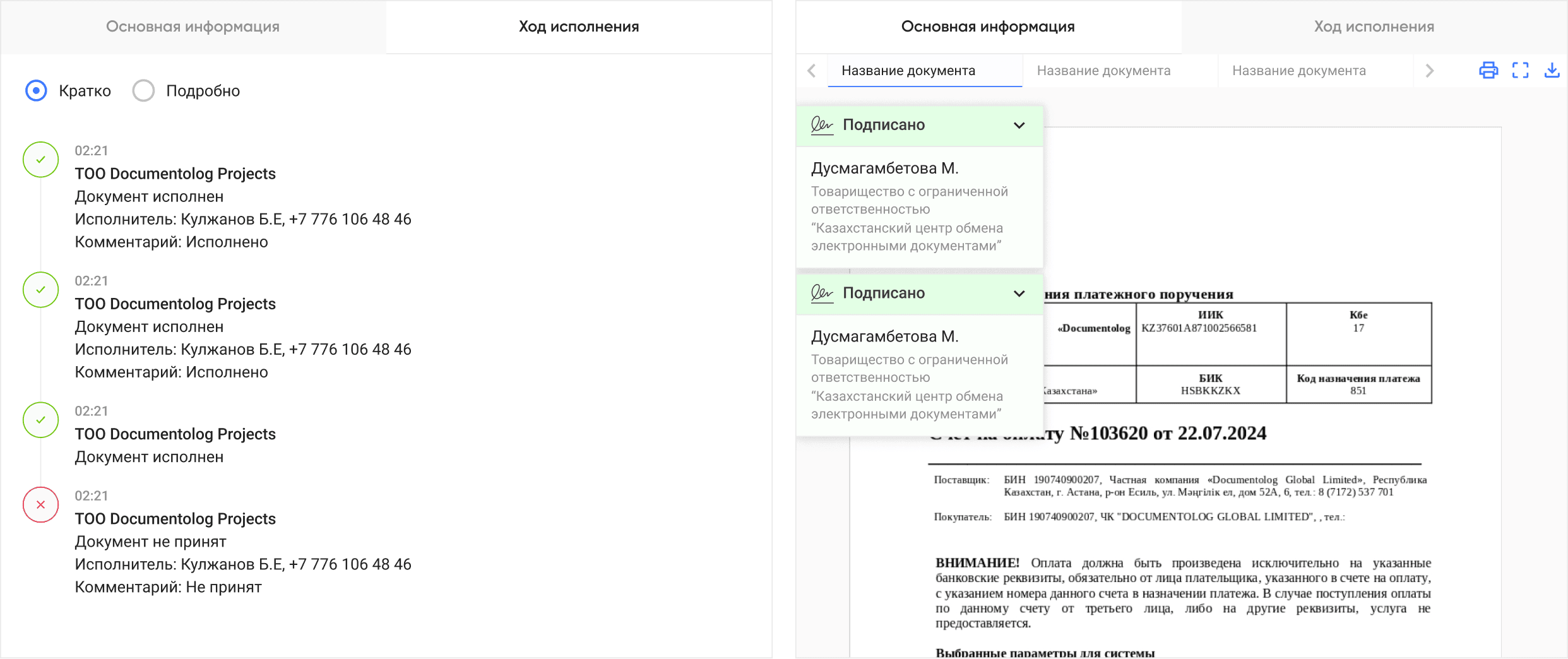
Implement a tab showing the document’s route
and progress (viewed, signed, etc.)
As an HR manager at an SMB with many
interviews, I want to quickly onboard
new employees so I can dedicate
more time to sourcing and hiring
Analyze the existing flow
and reduce the number of steps
for creating and sending
As an employee of a medical center,
I want to sign contracts with suppliers
and see who signed a document and when,
so I can speed up receiving goods and hit my KPI
Show the full name, company name,
and the time and date of viewed and signed
documents in the document route
Additional Goal
Since document completion speed matters
for most companies, we need to comprehensively
analyze the current scenario
and remove unnecessary steps
Update the user flow and cut steps that
might prevent reaching goals faster
Document History
After identifying a clear pain point, we came up with a solution:
add a document history (who signed, when, and statuses)
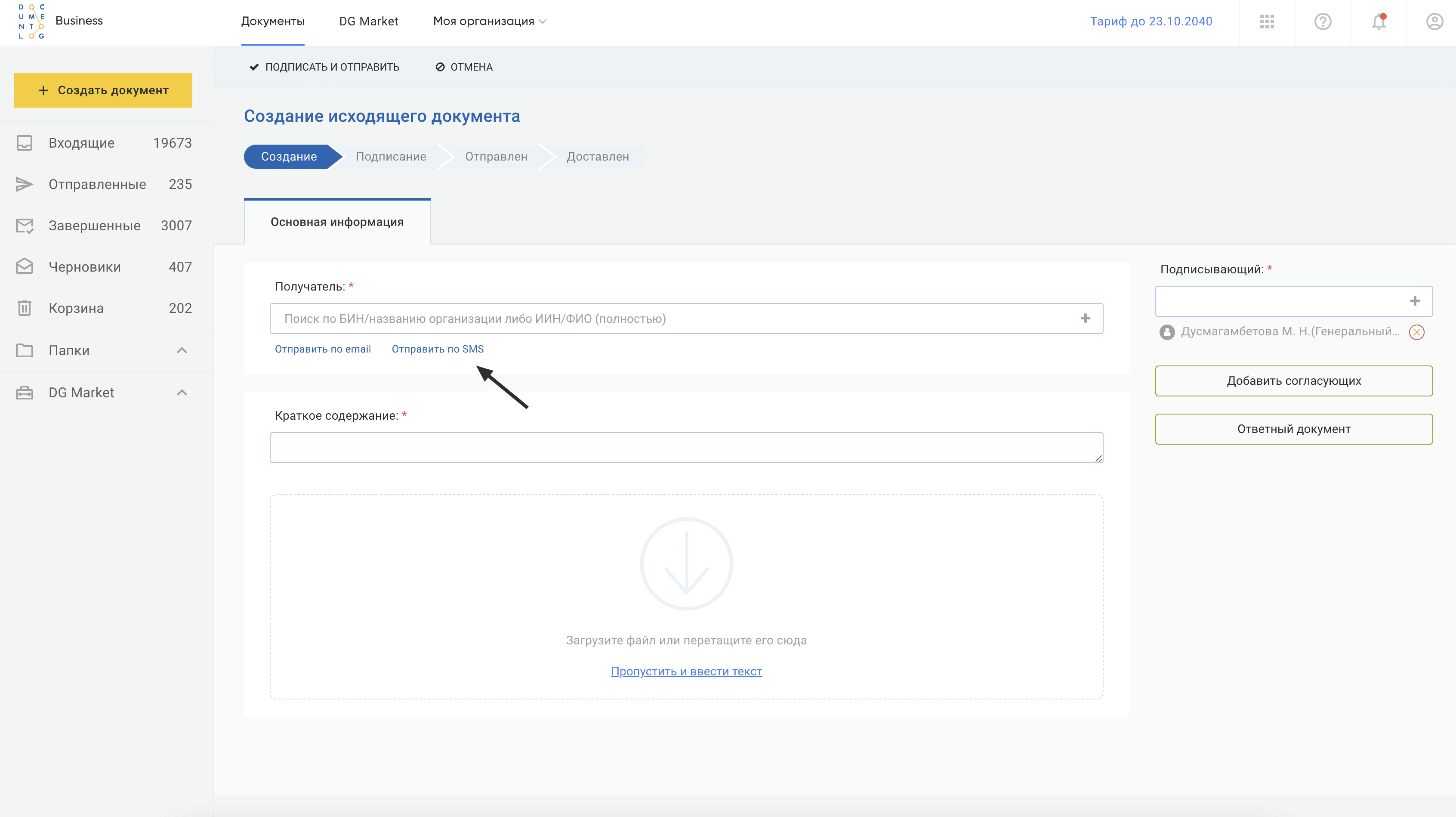
(A) 7/12 clients said they didn’t know
how to send a document via SMS or email (before)
(B) After surveying 30 respondents in Pathway (A/B comparison),
78% achieved their goal 40% faster (agreed, not enough
respondents for a fully accurate result — timing, constraints :)

(A) Reviewed the backlog of live messages about the issue:
users can’t find the sign and send action buttons

(B) There was enough data to solve the problem —
the button is now noticeable, and statuses no longer look clickable


Comments
The final solution has 40+ pages
covering all scenarios
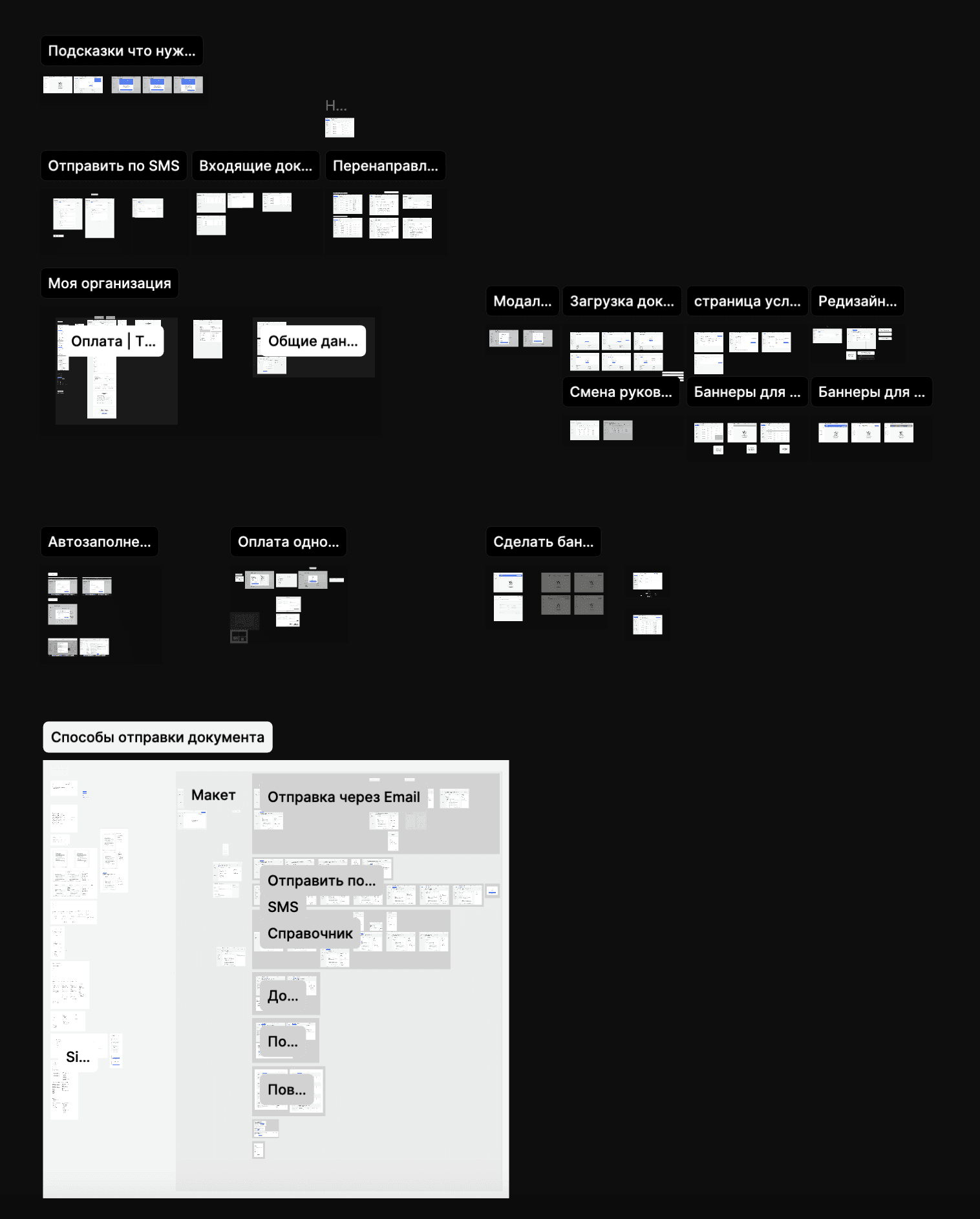
40+
Pages of refined flow
Result
+14%
In the metrics for sent
documents over the last 28 days,
considering the flow redesign, this is a win
+18%
Success Rate dipped in the first 7 days, but has been
growing over the last 14
+9%
Support requests need to be monitored over time; typically, after a redesign, questions increase at first
Conclusions
I’ve been in document management for 2 years, but I keep discovering something new each time — the market is incredibly deep for self-reflection
It’s important to involve a lawyer in such large tasks
With such tight deadlines, it’s important to motivate your team
and help them feel the importance of the task at hand
A redesign should only happen in the context
of familiar anchors for users and usability tests
Setbacks
I’d like to spend more time on data collection —
it feels like a greater impact on success criteria
could have been achieved
There were limits on the number of respondents
for quantitative surveys via Pathway, so
the data may not be fully accurate
The absence of an analyst (on leave) slowed down
getting up-to-date product metrics